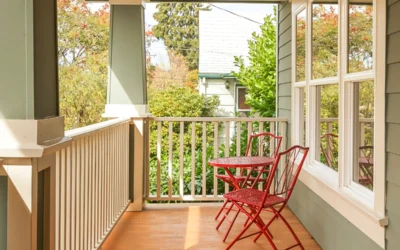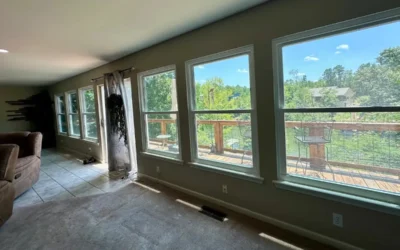



We have all been there. You are scrolling through social media and see a stunning home with sleek black-frame windows or elegant bay windows. These looks can completely change how a house feels. You start to wonder if that would look good on your house or if it would be a mistake. In the past, you had to use your imagination or look at tiny samples. Today, the best free window visualizer app options let you see the future of your home before you spend any money.
At WinChoice, we know that dreaming is a big part of the process for homeowners. We focus on making and installing high-quality windows, but we want you to feel sure about your style. This guide shows you the top free tools you can use right now to design your home’s new look. It also explains how to turn those virtual designs into a real home upgrade.
Top Picks for the Best Free Window Visualizer App in 2026
If you want to play architect for an afternoon, several tech companies offer great tools for free. These apps let you upload a photo of your actual home. You can then “swap” out your old windows for modern styles, new colors, and different grid patterns.
1. Hover: The All-in-One Exterior Designer
Hover is often called the best free window visualizer app because it builds a 3D model of your home from just a few photos. You can change everything from the window frames to the siding and the roof. It is very accurate. It gives you a real sense of depth that a flat photo just cannot match.
2. Renoworks: The Flexible Design Tool
If you want to try many different styles without being stuck with one specific brand, Renoworks is a great choice. Their AI tool gets your photo ready for design in less than a minute. This allows you to try on dozens of different layouts and colors instantly.
3. General Manufacturer Design Tools
Many large window makers also offer powerful apps. These are helpful if you already have a certain style in mind. While these tools show their own products, they are great for seeing how different Southern styles look on your house. You can see how large picture windows or double-hung units fit with your current home design.
| Visualizer Feature | Mobile Apps (Hover/Renoworks) | In-Home Professional Consultation |
|---|---|---|
| Ease of Use | Fast and DIY-friendly | Guided Expert Experience |
| Accuracy | Visual Estimate only | Exact Physical Measurements |
| Material Texture | Digital Approximation | Real Material Samples |
| Goal | Inspiration and Dreaming | Final Design and Quote |
The Limits of Virtual Design: Why the Human Factor Matters
Using the best free window visualizer app is an amazing start. However, you must remember that these tools are digital simulations. Lighting and screen quality can make a color look different than it does in the bright Southern sun. A virtual app can tell you if you like the look of black frames. It cannot tell you if those frames are built to handle high humidity.
This is where you move from dreaming to getting a quote. Once you have a few digital designs you love, the next step is to talk to a pro. A pro can show you the real materials. Seeing how a specific vinyl finish or a certain glass looks against your actual siding is something an app cannot replace.
How WinChoice Brings Your Virtual Designs to Life
At WinChoice, we encourage our customers to share their digital designs with us. If you have used the best free window visualizer app to create a vision for your home, our team can use those images as a plan. We do not just give a generic estimate. We use your visual goals to suggest the specific window replacement options that match your design.
Because we are a factory-direct company, we have more control over custom looks than a big-box store. If you designed a specific pattern or a unique color in your app, we can often make that exact look for less money. We take your digital ideas and combine them with our factory-direct savings to make your dream home a reality.
Ready to Turn Your Digital Design into a Real Quote?
The best free window visualizer app is your first step toward a more beautiful home. It helps you pick a style and settle the debate about colors. It gets you excited about what is possible. Once you are ready to move past the screen and get real numbers, we are here to help.
Our in-home visits include samples you can touch and feel. We also take exact measurements that an app simply cannot provide. We can even help you look at flexible financing so your dream design fits your monthly budget.
Contact WinChoice today for a free in-home design consultation. Bring your app designs along. Let’s work together to make your home the best-looking one on the block.
Home Design and Visualizer FAQs
Do I need to pay for any of these window visualizer apps?
No. Most of the top tools like Hover and Renoworks have free versions for homeowners. They might offer paid features for pros, but the standard tools for design and photo uploads are usually free for anyone to use.
Can a visualizer app give me an accurate price quote?
Generally, no. A visualizer app is for design, not for pricing. While some might give a rough range, they do not know the specific needs of your house. They do not know local labor rates or custom work requirements. For an accurate price, you need a professional to visit your home.
What is the best way to take a photo for a visualizer app?
For the best results with the best free window visualizer app, take your photo during the day. Use bright and indirect light. Make sure the photo is straight and clear of things like trees or cars. This helps the app identify the edges of your windows accurately.